

You must log in or # to comment.
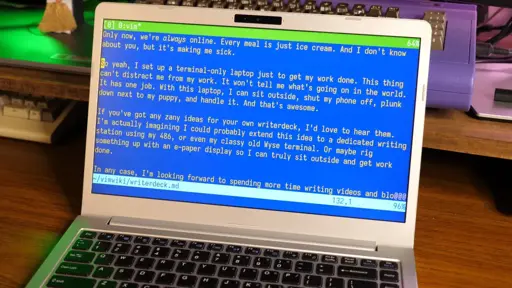
The italic text in Vim threw me for a loop. But I realised it makes sense.
Syntax highlighting already exists in editors. Terminal based ones often implement this in terms of terminal escapes or similar. Most modern terminal emulators support the enable-italic escape. Thus, some combination of these can effectively emulate markdown.
What I do note is that my root Linux consoles (Ctrl+Alt+F[1-6]), and LMDE) don’t support italics, suggesting the Vim instance is running in a full-screen terminal emulator under some windowing system or another.
That seems like overkill just for italics in an otherwise text-only interface, but maybe I’m missing something (patience being one possibility).
The answer is right there in the first paragraph, and in more detail if you read the whole article.
The author uses kmscon, that is a usermode console with proper graphics drivers, hi res rendering, and UTF8 font support. There is no desktop environment used.
I suspect that is where the italics support is coming from. Makes me want to try it out.