Windows doesn’t struggle with 16GB at all unless you’re doing something that obviously needs as much memory as you can give it, like anything made by Adobe.
For 9/10 users 16GB is plenty, even with common apps that hoard it like it’s some sort of hard drug (Chrome).
I’m sitting at 22 gigs used with a browser, teams, and an IDE. The browser is taking about 1.6, the IDE as well. Teams is taking 2. Then there’s a bunch of little web views and other BS that windows has spawned gobbling up it all.
Ah yes, the same crap about what’s being “used” without the entire system context being considered. Because as we all know, simple numbers tell the entire story all by themselves.
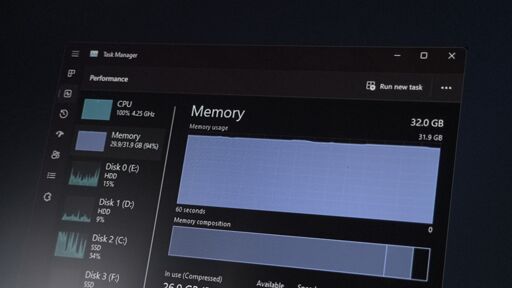
The system and apps will use what’s available if you have it. That’s what you want, unused RAM is wasted RAM, and there is zero reason not to use resources that are readily available. The system automatically caches and preloads things like files and applications you tend to use at certain times of the day so they load faster when you do access them. This is used memory, but it is also readily available for literally anything else.
All of those apps know you have plenty more memory readily available if they want it, so they will fill to use whatever they want and won’t attempt to do more than basic memory management. Once the active resource usage fills, both apps and the system itself will begin more aggressive memory management. Until then, there’s no reason to.
Remove RAM until you have 16GB, run those exact same things and you will almost certainly see under 16GB of usage.


Windows doesn’t struggle with 16GB at all unless you’re doing something that obviously needs as much memory as you can give it, like anything made by Adobe.
For 9/10 users 16GB is plenty, even with common apps that hoard it like it’s some sort of hard drug (Chrome).
I’m sitting at 22 gigs used with a browser, teams, and an IDE. The browser is taking about 1.6, the IDE as well. Teams is taking 2. Then there’s a bunch of little web views and other BS that windows has spawned gobbling up it all.
Ah yes, the same crap about what’s being “used” without the entire system context being considered. Because as we all know, simple numbers tell the entire story all by themselves.
The system and apps will use what’s available if you have it. That’s what you want, unused RAM is wasted RAM, and there is zero reason not to use resources that are readily available. The system automatically caches and preloads things like files and applications you tend to use at certain times of the day so they load faster when you do access them. This is used memory, but it is also readily available for literally anything else.
All of those apps know you have plenty more memory readily available if they want it, so they will fill to use whatever they want and won’t attempt to do more than basic memory management. Once the active resource usage fills, both apps and the system itself will begin more aggressive memory management. Until then, there’s no reason to.
Remove RAM until you have 16GB, run those exact same things and you will almost certainly see under 16GB of usage.